Every task is a checklist.
Drop tasks anywhere on an infinite canvas. Tick through its checklist. Color them by project.
02—Pitch
Sprawl gives tasks space: a paper canvas where checklists stay in view and project clusters form by color. The same surface is reachable by your agents through fine‑grained API, CLI, and MCP, scoped to exactly what you allow.
03—Context
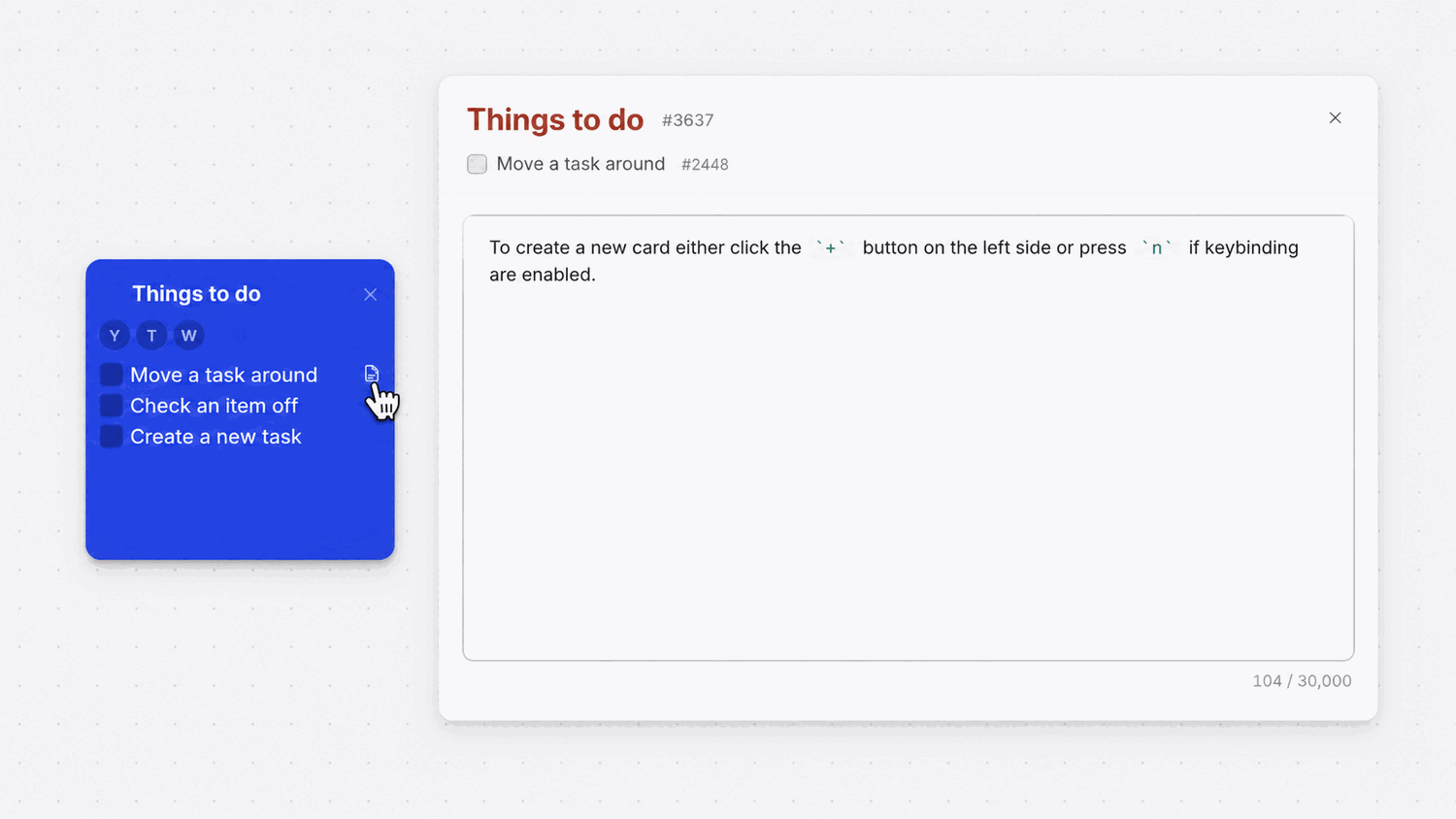
notes drawer
Notes that double
as
prompts.
Open any checklist item and a markdown drawer slides out. Drop the URL, the gotcha, the half‑formed thought you'd otherwise lose. Or a clean brief for the agent that picks the task up next. Same surface, two readers.
- → markdown: links, code, lists
- → per checklist item, not per task
- → readable by humans and agents
04—Collaboration
/api/v1
Built for humans.
Open to agents.
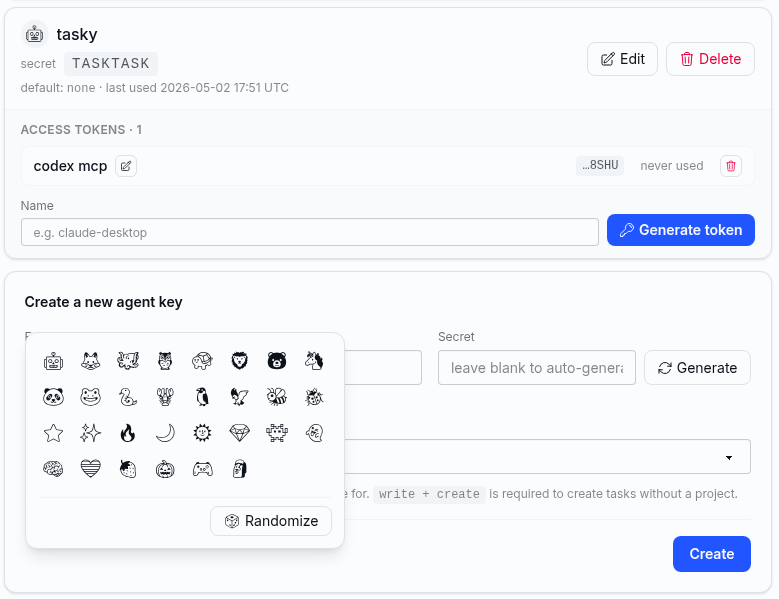
Issue an API key for an agent and pick what it can touch. One project, read‑only, or full access. The agent ticks items off the same checklists you do, without ever logging in as you.
Install the CLI
curl -fsSL https://raw.githubusercontent.com/ultrakorne/sprawl_cli/master/scripts/install.sh | bash
05—Topology
paint mode
Projects you
can see.
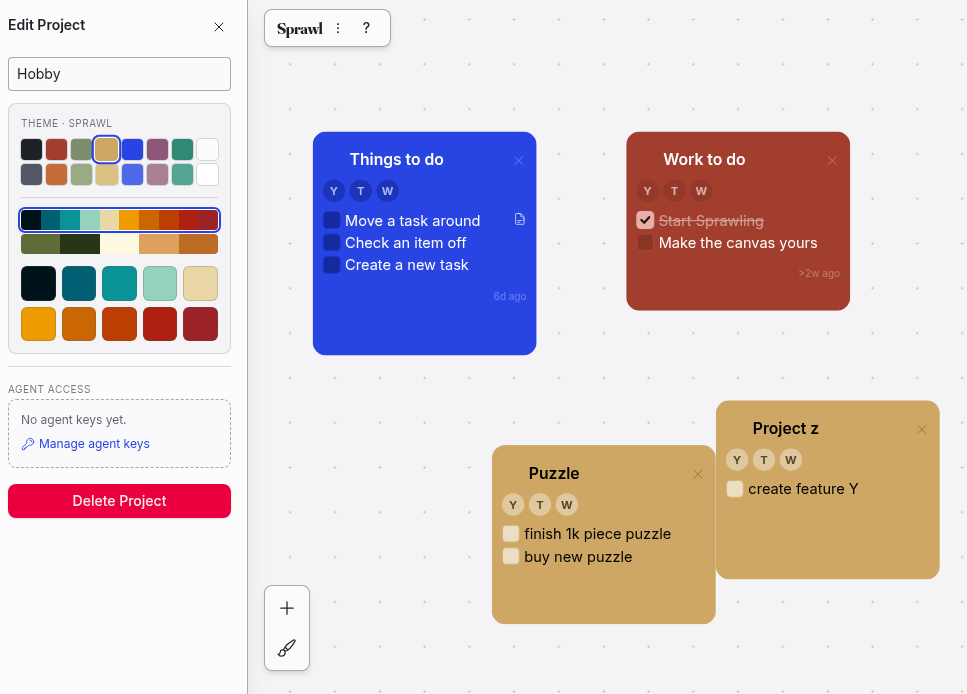
Paint each card with a project color. Drag related cards near each other and a cluster forms. One glance at the canvas tells you which project has weight, which is quiet, and where things are piling up.
- my book
- client work
- admin
- side project
- reading
06—Begin
Open the canvas. Drop a card. Tick something off. That's the whole onboarding.